
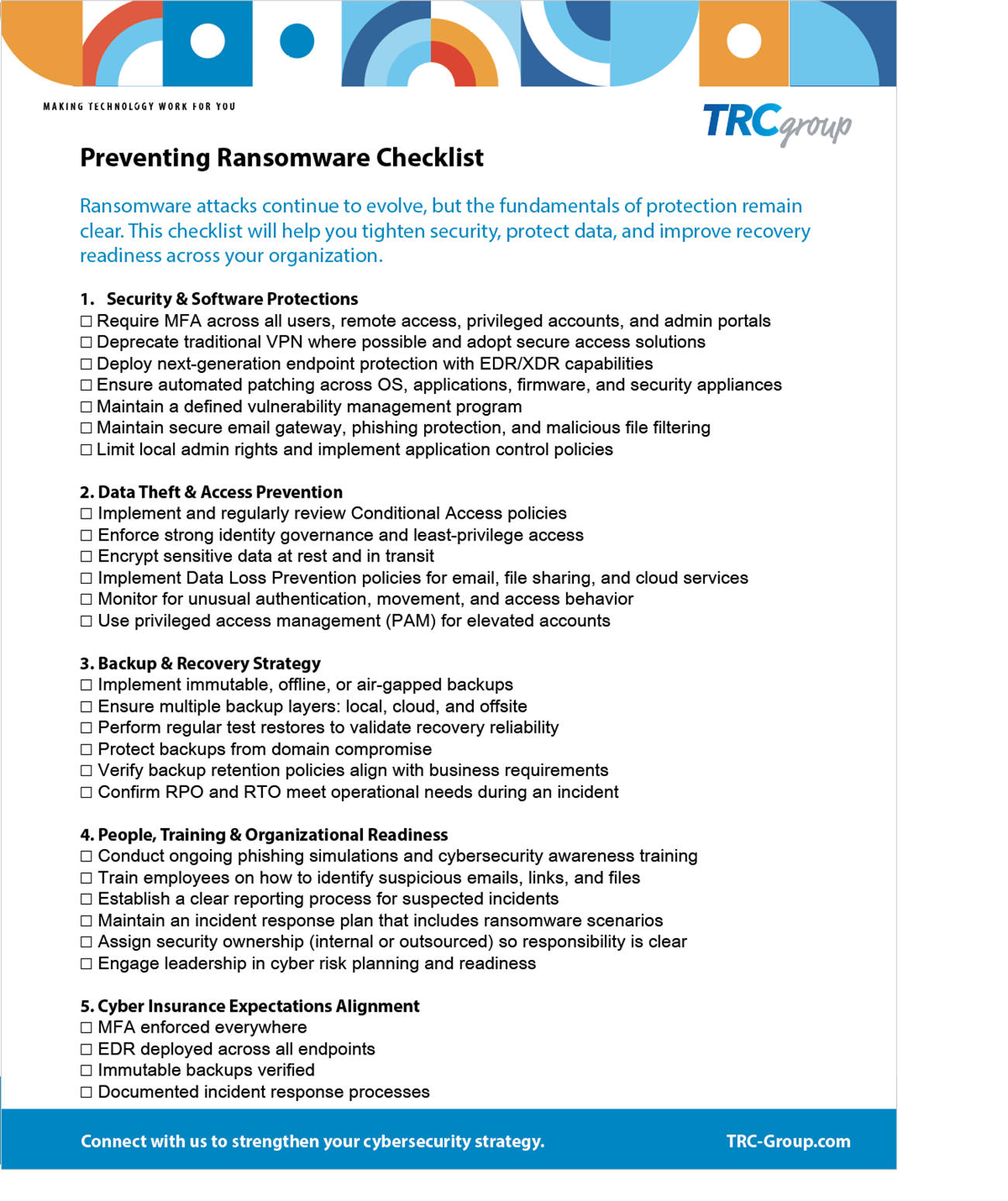
Ransomware Prevention Checklist
Most organizations have security tools. Fewer know whether the basics are actually in place.
Ransomware rarely succeeds because a business had no defenses. It succeeds because one of the essentials was missing, misconfigured or never checked: an account without multi-factor authentication, a backup that could be reached from the network, a patch that was scheduled and not applied. None of those show up on a dashboard as a problem until the day they matter.
This checklist gives leadership a way to ask the right questions without needing to be technical. Work through it with your IT team or provider and you will know where you stand.
Use this guide to:
• Validate that essential protections are in place
• Identify the gaps attackers most commonly exploit
• Improve monitoring, access control and readiness
• Strengthen backup and recovery confidence
• Reduce the likelihood and the impact of an attack
Who it is for
Presidents, owners, COOs and IT managers at organizations of 20 to 250 employees that cannot afford to be down for days. It is written for the person who has to decide what to fund and what to fix first, not for the person configuring the firewall.
How to use it
Go through the list with whoever runs your technology. Mark each item as in place, partly in place, or not in place. Anything in the second or third column is the start of a priority list. If the backup and recovery items are the ones you cannot answer, that is the place to begin, because those are the items that decide how long an attack keeps you down.
About TRC Group
TRC Group works with leadership teams across West Michigan on technology strategy, cybersecurity and business continuity. We help organizations set recovery targets, put immutable backups in place, and test that recovery works before it is needed. Read the disaster recovery case study.
No sales call attached to the download. If you want to talk through what you find, we are glad to.